Tag: Technology

  • Starlink in Rural Cumbria

    Starlink in Rural Cumbria

    A Real-World Review for UK Remote Workers

    We live over a mile from the nearest fibre connection. Getting workable internet here has been frustrating  and at times impossible, though a price worth paying for living in such an extraordinary place.

    We started with BT copper. Speeds hovered around 1 Mbps on a good day. If the neighbours attempted to go online at the same time as us, it simply fell over.

    We moved to Solway Communications. Initially promising – around 15 Mbps, but after a takeover the service deteriorated to barely better than BT.

    Then we tried 4G. An external aerial occasionally delivered 40 Mbps. The problem was consistency. Weather and network demand ruled everything. It would fail at exactly the moment guests arrived and we tried to stream a film.

    Back in 2012, patchy internet was inconvenient.

    In 2026, it sits somewhere alongside water and electricity.

    I work from home. Video calls must not drop. Files must upload. We stream all television. The air source heat pump follows its schedule via Wi-Fi. The Ring doorbell depends on it.

    Reliable internet is no longer optional.

    If fibre ever reaches us, I would reassess. Until then, we needed something that simply worked.

    youtube placeholder image

    Installation

    In December 2024, we took the plunge.

    I arrived home at around 7pm to a large box and, like a child at Christmas, installed it immediately, by torchlight.

    The dish now sits high on the gable end, mounted on a pole. The cable runs through existing conduit into the bedroom.

    Setup is straightforward:

    • Download the Starlink app

    • Connect to the router

    • Use the in-app alignment tool to optimise positioning

    Screenshot from my starling app showing the obstructions tool - in here there is clear view of the sky in all directions.

    It requires an unobstructed view of the sky. Ours faces roughly south. If you’re concerned about obstructions, you can download the app in advance and use its sky-scanning tool from your proposed mounting point.

    The dish sits almost horizontal and includes a built-in heater that activates automatically to melt snow — a detail that matters in the UK.

    It is, essentially, install-and-forget technology.

    Performance

    Reliability has been exceptional.

    Unlike my old EE 4G setup  which required constant rebooting and adjustment, Starlink has simply stayed up. Uptime feels around 99.9%.

    Download speeds:

    Screenshot from my speed test app - 191.5 Mbps download and 24.2 Mbps  upload ping 19ms jitter 2.7ms data 246mb

    • Typically 100–250 Mbps

    • Occasionally up to 300 Mbps

    • Rarely below 50 Mbps

    Upload speeds:

    • Usually 10–25 Mbps

    We routinely run two 4K streams while I’m on a video call, with no noticeable degradation.

    Speeds vary slightly with weather and demand, but nowhere near as dramatically as 4G did.

    Automatic software updates occur occasionally around 3am, briefly disconnecting the service.

    For remote professional work in rural Cumbria, it has been completely dependable.

    Power Consumption

    In normal operation, our dish draws roughly 30–40 watts.

    During snow melt, it draws more temporarily.

    For comparison:

    • Typical fibre ONT + router: ~10–20W combined

    • 4G router setup: ~10–25W

    • Starlink: roughly double typical fibre consumption

    In annual terms, 35W continuous equates to roughly 300 kWh per year. At typical UK electricity prices, that’s approximately £70–£90 annually.

    It’s not insignificant. But in the context of running a rural home  and compared to the productivity it enables — it feels entirely reasonable.

    Wi-Fi & Integration

    The router allows easy customisation of SSID and password via the app. I reused my previous network name so all devices and visiting friends  reconnected seamlessly.

    Coverage is good. However, due to the thick walls and layout of our converted barn, I added a TP-Link signal booster. Starlink sells its own mesh node for around £100 if you prefer to stay within their ecosystem.

    Cost

    When we signed up:

    • Equipment: ~£350

    • Monthly fee: £75

    There was only one plan available at the time.

    Now, UK residential plans start from around £40 per month, depending on service tier and region. In some cases, equipment and professional installation are included.

    Final Thoughts

    Starlink has transformed life here.

    It has enabled a fully remote professional career, reliable streaming, smart home functionality and general peace of mind.

    It is more expensive than fibre and uses more power. But where fibre does not exist, it is not merely a luxury, it is proper infrastructure.

    If fibre eventually reaches us, I would reassess. Until then, this is the first internet service we’ve had that simply works.

    A Note on the Referral Link

    If you decide to try Starlink, you’re welcome to use my referral link below. It may give us both a small account credit. I would recommend the service regardless.

    I buy all my own gear and write independent reviews. If you found this helpful, buy me a coffee.
  • Apple Watch Ultra 3

    Apple Watch Ultra 3

    (Affiliate link)

    TL;DR

    •  Battery life is the breakthrough — around 42 hours in real use.
    •  Proper outdoor features: satellite SOS, cellular, waypoints, Backtrack.
    •  Big, bright screen that’s actually useful.
    •  Expensive, and large — try one on first.
    •  If you’re active outdoors, this feels like equipment, not a gadget. 

    Why I Upgraded

    My Apple Watch Series 7 had reached its limit.

    Battery life was under 24 hours even when new. If you wanted sleep tracking, you had to plan your charging around bedtime. A 4–5 mile walk drained it heavily. Kayaking often meant leaving it at home and wearing my old Casio G-Shock instead. The screen had also become frustratingly unresponsive when wet.

    I looked at alternatives. I briefly considered a Tag Heuer, but I didn’t want to abandon seven years of health data. Rings and other wearables didn’t appeal.

    When the new Apple range launched in September, the Ultra 3 ticked every box. I ordered one immediately.

    youtube placeholder image

    What It’s Like in Real Use

    Battery life is the headline. I consistently get around 42 hours. That means full sleep tracking, workouts, mapping, and daily use without thinking about it. I charge it while drinking my first cup of tea at my desk. That’s it.

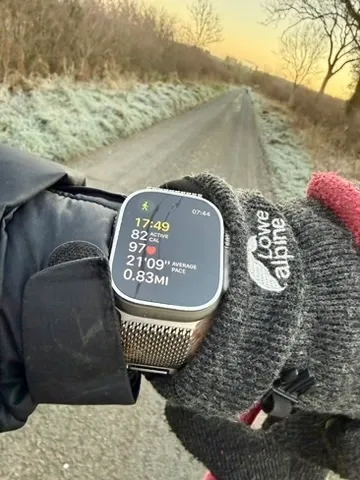
    On a recent 2hr 41min winter hill walk in freezing conditions, the battery dropped from 65% to 47% — an 18% reduction. My old watch would not have survived.

    The larger, brighter screen makes mapping, messages and email genuinely usable. The titanium case and sapphire glass feel properly durable. It still deserves care, but this should look respectable after years of normal use.

    The Action Button is simple but genuinely helpful. I use it to start workouts. Small thing, big difference when you log at least two sessions a day.

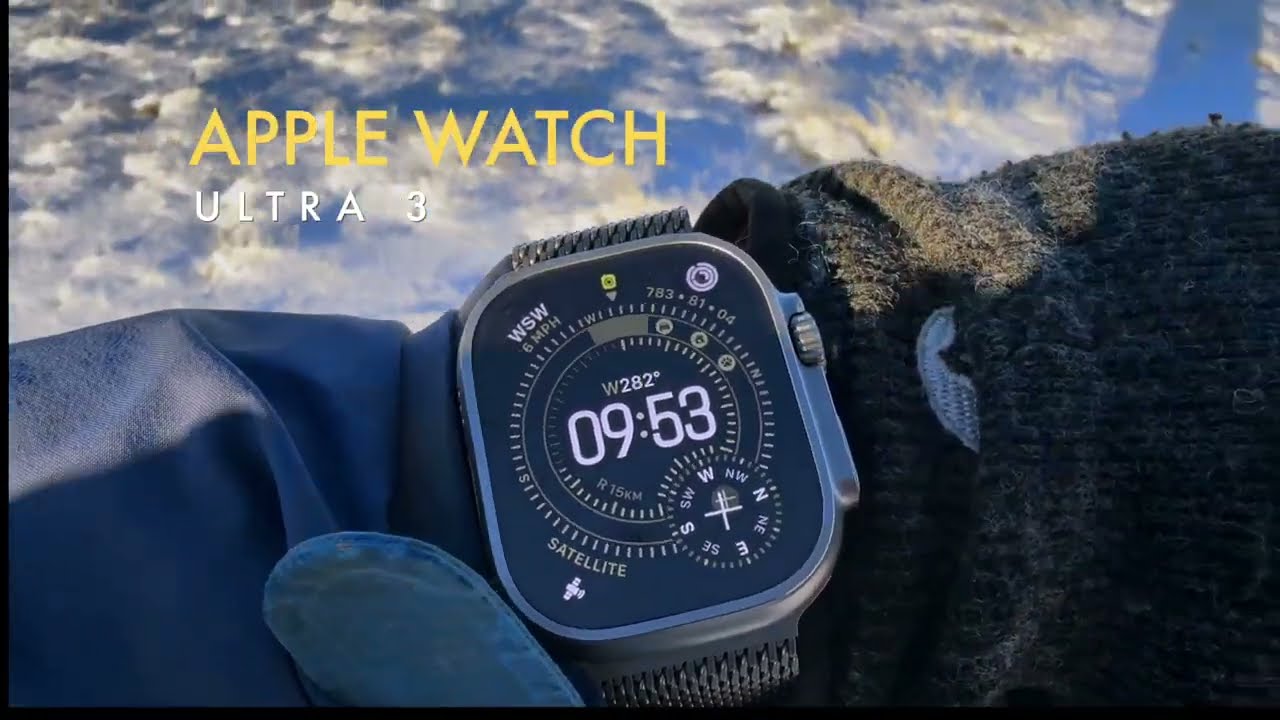
    The outdoor features are not gimmicks. Compass Backtrack and Waypoints are genuinely useful in fog, on tidal beaches, or when marking a launch point while kayaking. Cellular connectivity means I can head out without my phone and still feel safe.

    Author's photograph of the Ultra 3 watch in navigation mode - compass directions indicated as well as waypoints such as the summit of a mountain a short distance ahead.

    Health and Vitals

    Sleep tracking is excellent. Apple’s Vitals feature now monitors wrist temperature, breathing rate, heart rate, blood oxygen and more. After a few days it learns your baseline and flags deviations.

    It has already proved useful. After a heavy meal and too much wine, I saw a noticeable dip in overnight blood oxygen. Before a cold, it detected a raised temperature before symptoms appeared.

    It doesn’t diagnose conditions, but it highlights patterns. Over time, that insight adds value.

    The Milanese Loop

    I made a mistake ordering the blue Ocean Band. It just wasn’t classy enough for a watch like this.

    I replaced it with the natural titanium Milanese Loop and wish I’d chosen it from the start. It’s warm to the touch, light, breathable and looks superb. I’ve only taken it off to charge the watch.

    If you like the Milanese Loop, order it with the watch and save yourself £100.

    The Quirk

    If you wear it in the bath, it congratulates you on a 9cm “dive” and tells you the water temperature. It also triggers Water Lock automatically, which is mildly irritating.

    It’s funny the first time.

    youtube placeholder image

    Downsides

    • It’s large. Try one on before committing.
    • Apple straps are expensive.
    • If you’re mostly sedentary and indoors, this is overkill.

    Verdict

    Strong recommendation.

    If you’re physically active and spend time outdoors, this stops being a smartwatch and starts being equipment. The battery life alone changes how you use it. Everything else builds on that.

    If you’re considering one, you probably won’t regret it.

    You can see the exact version I use on Amazon via this button:

    As an Amazon Associate, I earn from qualifying purchases at no extra cost to you.

    I buy all my own gear and write independent reviews. If you found this helpful, buy me a coffee.
    Thanks for reading, I’d love to read your comments.

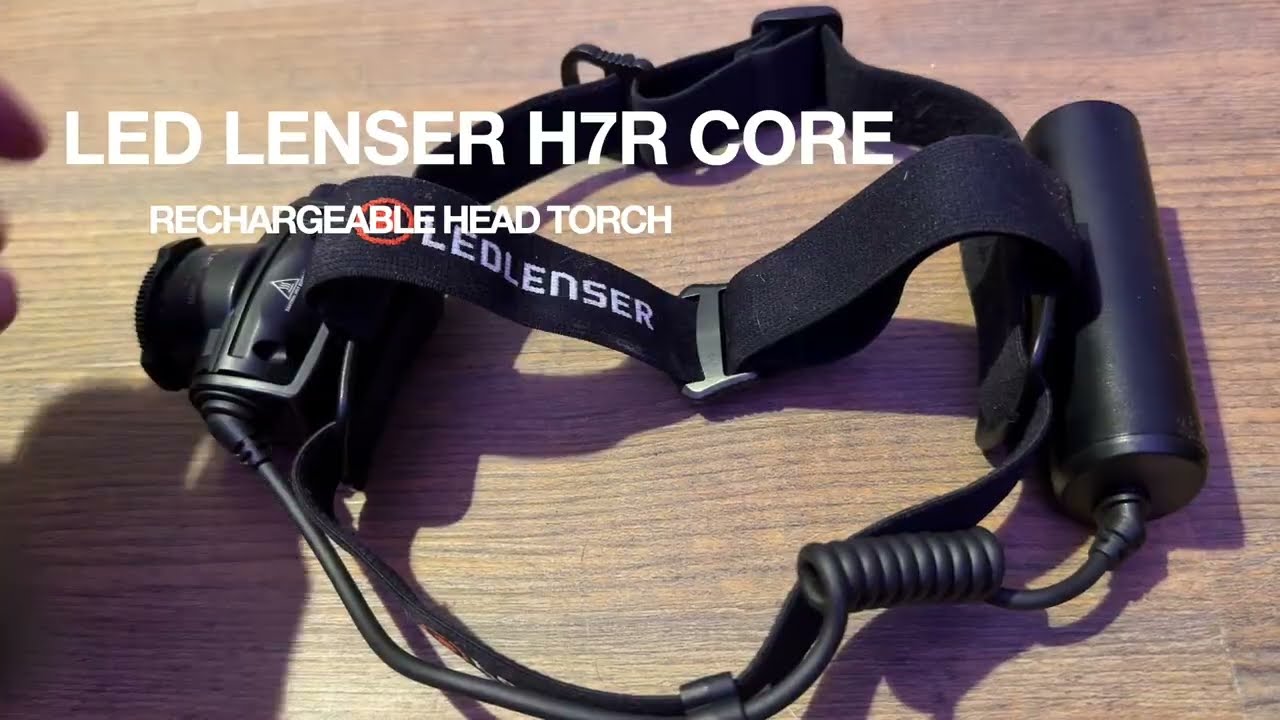
  • LED Lenser H7R Core head torch

    LED Lenser H7R Core head torch

    (Affiliate link) 

    My old Black Diamond headtorch was dropped, bounced once, and died. That felt like a betrayal after years of loyal service, so I replaced it with something that looks like it might survive similar treatment.

    I’ve been using the LED Lenser H7R Core since 23rd November 2025. Once or twice a day, every day. Mostly walking William in pitch darkness around Cumbria, though I also took it for a 5K run along the canal towpath in Birmingham where it performed admirably in the rain.

    What I like about it:

    It’s bright. Properly bright. I have driven cars with worse headlamps. On the higher settings it throws a long, clean beam that lights up hedgerows and reveals the reflective eyes of distant sheep who’d rather I didn’t see them.

    youtube placeholder image

    For dog walking it’s complete overkill, which is fine because you can dial it down instantly using an actual analogue dial. No cycling through strobe-sos-turbo-moonlight modes. Just turn the wheel until it’s right. You can do this with gloves on, which matters when it’s +1 degree and your hands are already cold.

    There’s a second dial for focus – wide beam for walking, tight beam for scanning fields. Both dials are large enough to use without looking, which is the whole point of a headtorch.

    The power button has a travel lock. Hold it for a few seconds and it won’t turn itself on in your bag. This is exactly the kind of sensible design that makes you trust something.

    What’s less good:

    Charging isn’t especially fast. The magnetic connector works well but can be knocked off if you’re careless. I charge it overnight and it’s ready, which is all I need.

    It’s not the lightest headtorch available, but I’m not counting grams. I’m walking a dog, not running ultramarathons.

    Will it last?

    Too early to say definitively. The real test will be overnight kayak camping trips this summer – salt air, damp kit bags, general expedition chaos. But it feels properly made. Not flashy, not tactical-for-Instagram, just solid.

    So far I’m very impressed with it. If you want a headtorch that works reliably without requiring a phone app or a degree in button combinations, this does that job well.

    As an Amazon associate, I earn a small commission from qualifying purchases but they do not cost you a penny extra.